Firebase Functions returns UNAUTHENTICATED error
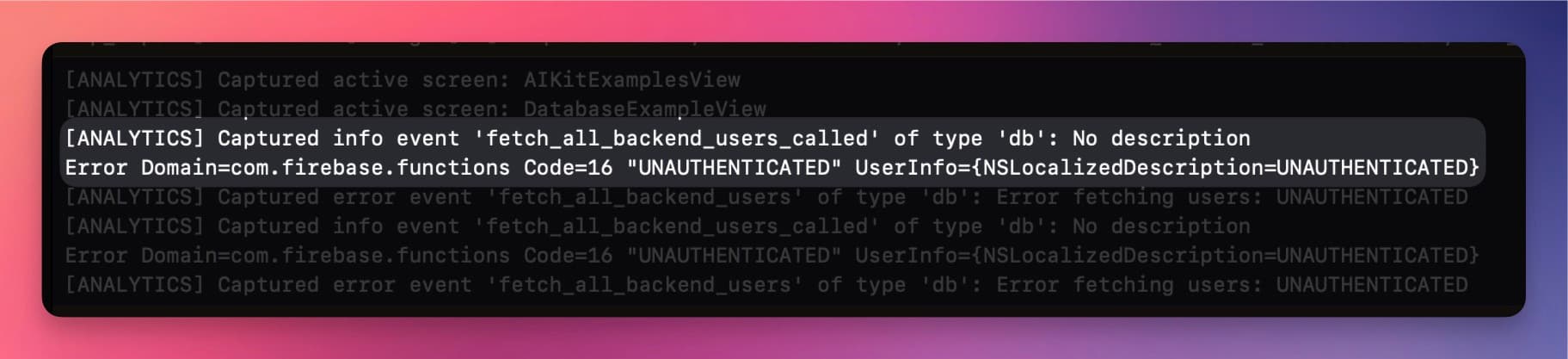
Some users have reported that Firebase Functions may in some cases return an UNAUTHENTICATED error when trying
to call a function in the BackendKit Example View
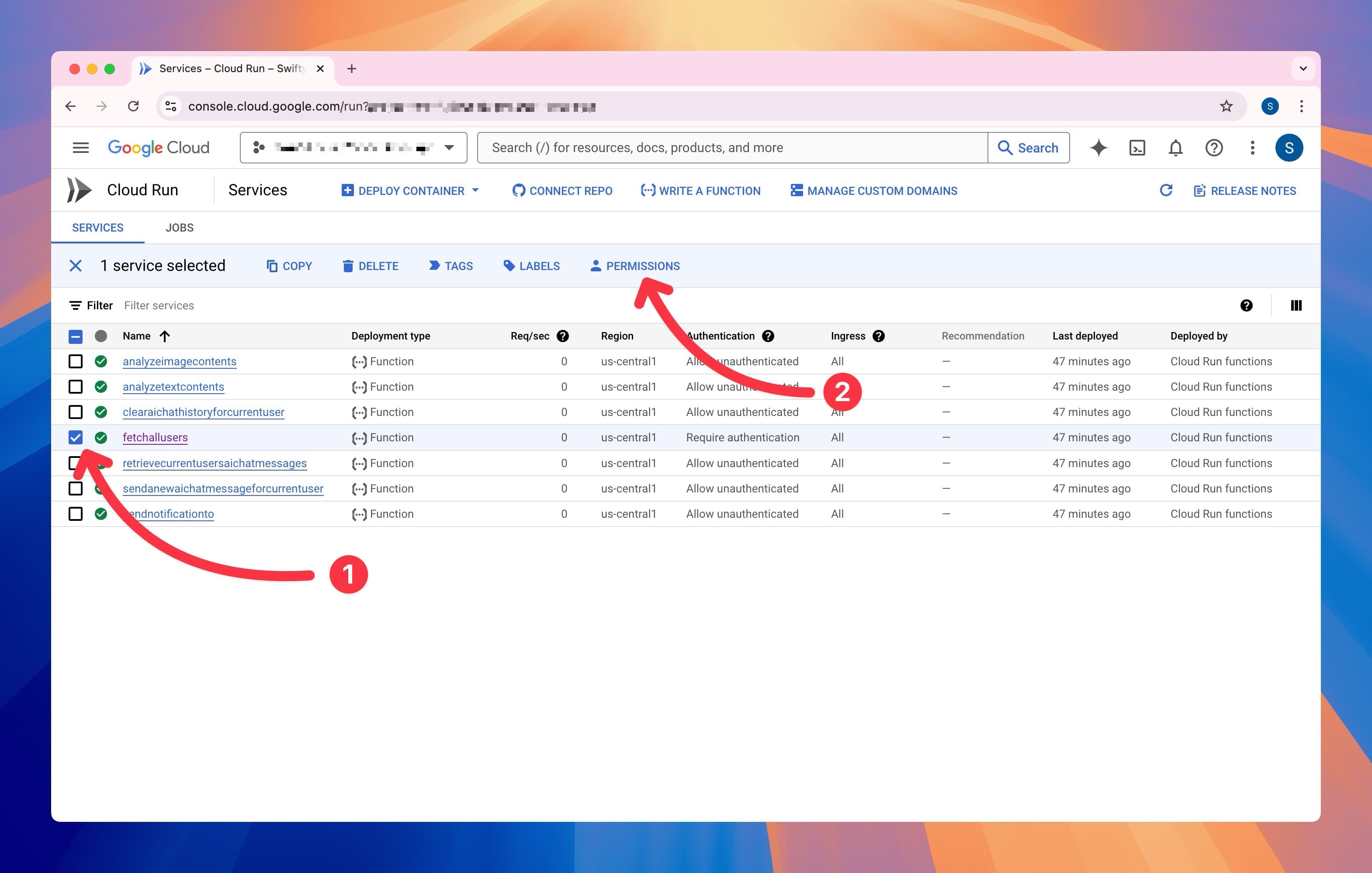
To solve this error, go to your Cloud Run Functions list in the Google Cloud Console (opens in a new tab), select the function that is causing the error, and click on the Permissions button.
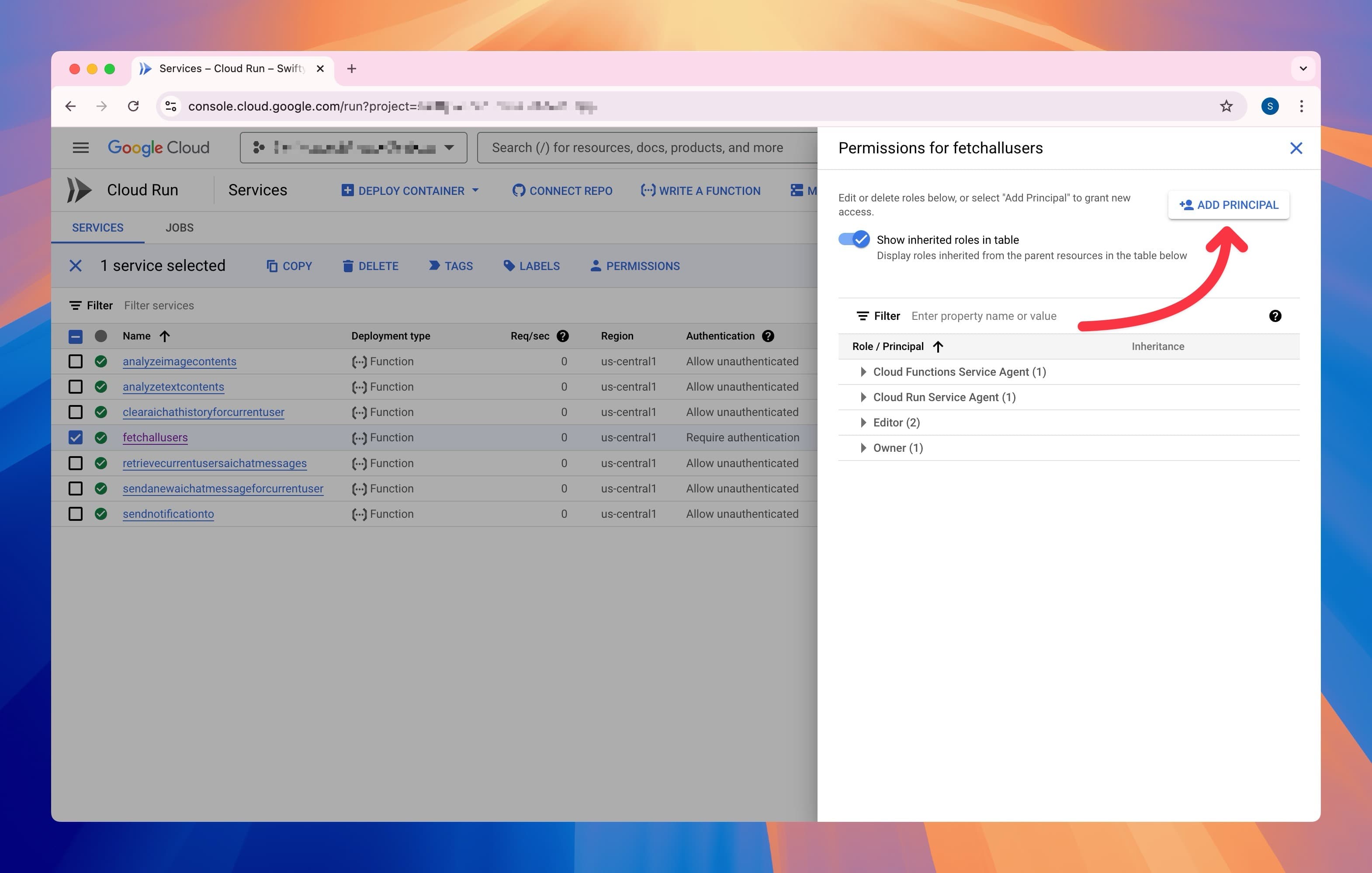
Click on Add Principal
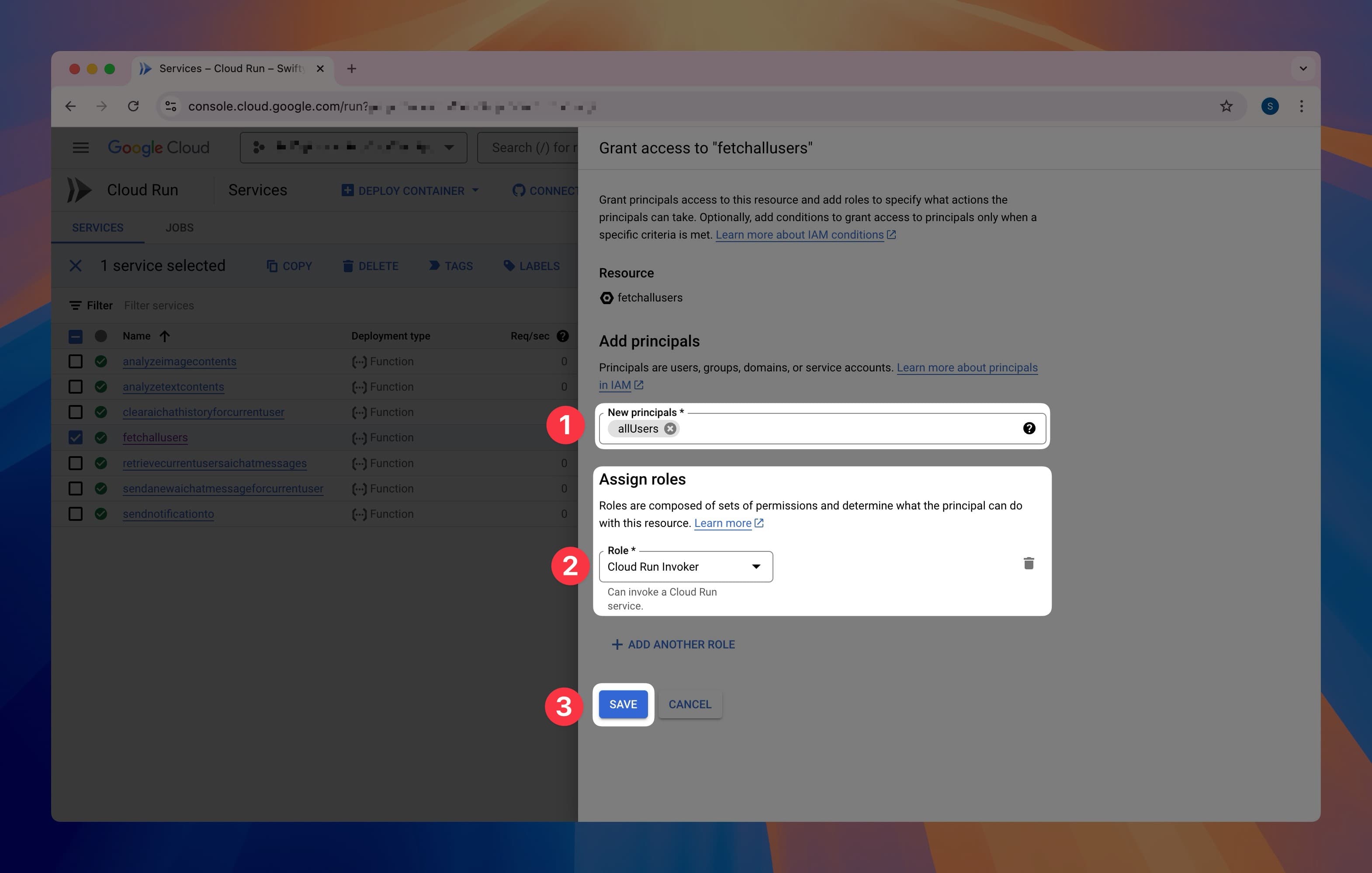
Enter allUsers in the New Principals field, select the Cloud Run Invoker role, and click on Save
Click on Allow Public Access
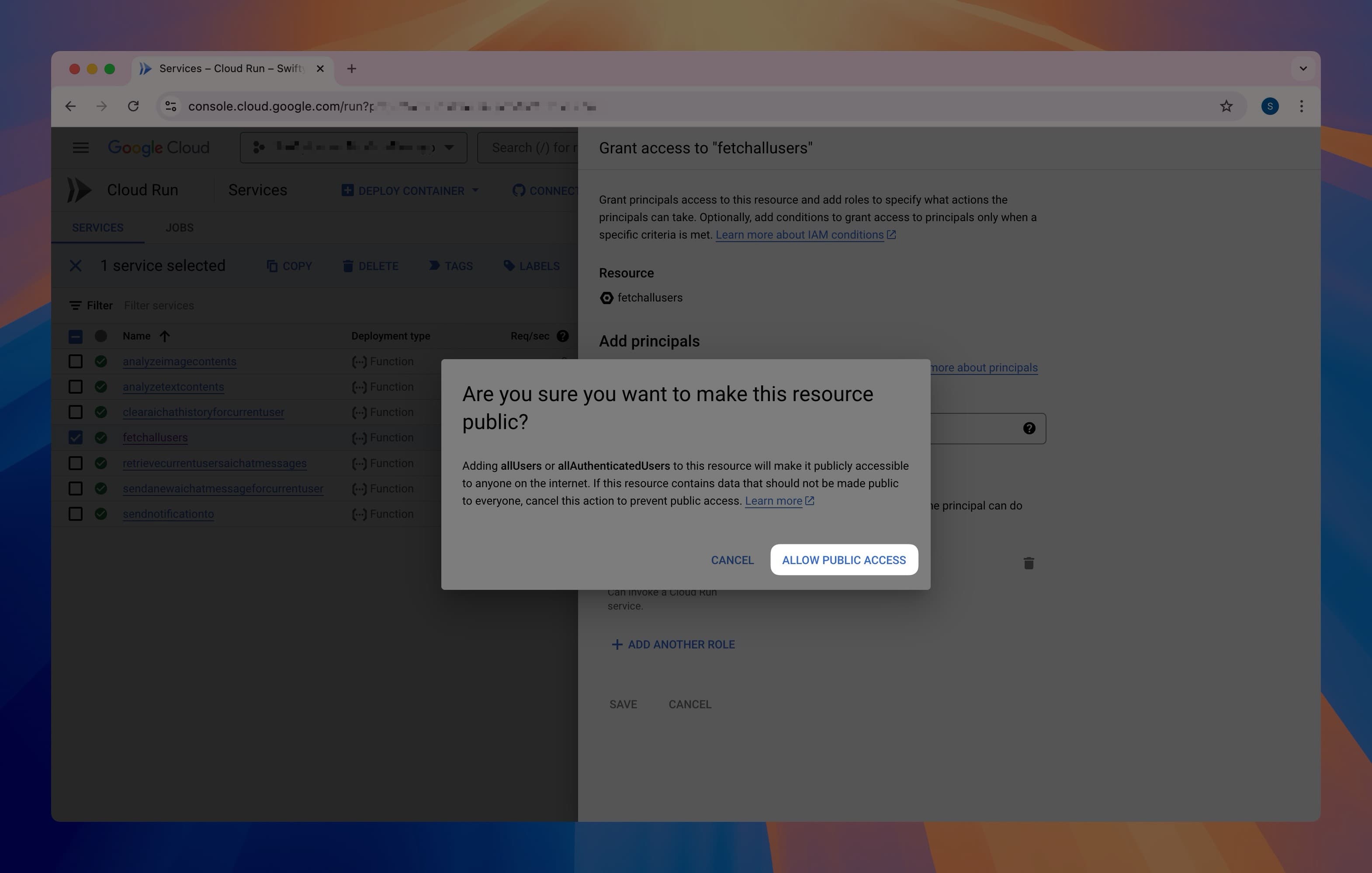
This will make the function available to access to all users, and the UNAUTHENTICATED error should be resolved.
(Changes may take a few minutes to take effect)